




Types of networking tech


Why should I upgrade my router?
For a quick and easy way to get better performance from your internet, an upgraded router is a great way to achieve improved range, as well as faster and more stable connections. There are several types of router available, with many offering improved performance over the router supplied by your service provider.
Most homes used to be able to survive with a single-band, N-speed router to keep with a small number of devices. But if you have multiple connected devices like smartphones, tablets, computers and smart TVs, then you might need to upgrade your router. An improved router can reduce wait times on loading web pages, make sure you aren’t held back by lag and ensure your signal is improved.

How do powerlines work?
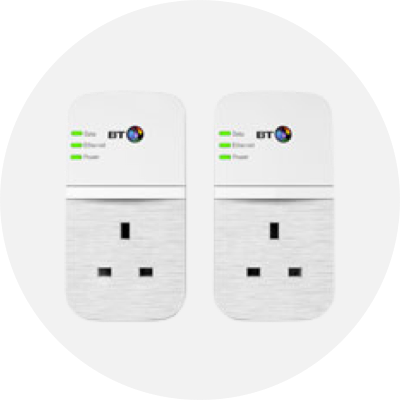
Easily connect non-wireless devices to the internet without having to plug in an Ethernet cable with a powerline. Powerlines work by sending your internet signal through your electrical mains system, effectively turning any plug socket into an internet access point.
Made up of two important connectors, powerline kits include a sender unit and at least one receiver. The sender unit requires a mains connection as well as an Ethernet connection to your router. The receiver is then plugged into a mains socket near the device you want to connect, with an Ethernet connection between the receiver and the device to complete the stable, wired connection.

Why do I need a range extender?
Range extenders, sometimes called signal boosters, offer a solution for homes or buildings that lack complete internet coverage. By placing a range extender in the direction of poor reception but within the reach of your network, you can relay the wireless signal further for a better connection. This works well in homes with thick walls where your device can see the network but can’t connect. A range extender can also be used to send your wireless signal into an open space or outside – perfect for lazy summer afternoons in the garden.

What is a wireless adapter?
Wireless adapters fit easily into any USB port on your PC and laptop, letting you connect to the wireless network where you are. Perfect for older laptops that might not be compatible with AC WiFi speeds, wireless adapters let you access high speed internet without having to upgrade your laptop.
Designed to increase the reach of your WiFi throughout your home and even into your garden, range extenders are perfect if you suffer inconsistent network speed and stability. Like routers, there are different ratings that offer varying speeds and ranges to make it easy to find the right one for your network. As they require no network configuration, range extenders are ideal for use with Sky routers and offer an instant solution for weak WiFi signal.

When would I need a network switch?
A network switch provides a wired internet connection to several individual devices or networks over a single phone line. Connect your devices to the switch and you are ready to go.
Unlike a router, which creates a local network and then connects that to the internet, a network switch connects multiple devices to a single network via Ethernet cables. Typically faster than routers, they’re perfect for enthusiast and business use and are the ideal basis for expansive wired and wireless networks.


